
If you are looking for the most versatile, user-friendly, and reliable streaming player on the market, learning how to configure IPTV Smarters Pro is the best decision you can make for your home entertainment. Widely recognized as the global standard for digital streaming, this application transforms any television into a modern cinema and live sports powerhouse.
While many media players feature clunky interfaces or require complicated playlist conversions, IPTV Smarters Pro organizes live broadcasts, on-demand movies, and TV series into clean visual dashboards. However, because the application is a media player that does not host content on its own, pairing it with a high-performance subscription like SpaceOTT is essential to unlock over 20,000 live 4K channels, buffer-free sports, and 95,000+ VOD titles.
Whether you are searching for the best IPTV for Firestick or want to know how to fix IPTV buffering for smooth 4K streaming, configuring your player settings properly guarantees flawless playback. As explained in TechRadar’s guide to how IPTV works, modern streaming protocols deliver data packets directly through dedicated server networks for instantaneous channel zapping.
In this master setup guide, we walk you through the 5 simple steps to install, authenticate, and fine-tune IPTV Smarters Pro on Amazon Firestick, Android TV, Smart TVs, and mobile devices in less than five minutes.
Complete IPTV Smarters Pro Guide
- 1. What Is IPTV Smarters Pro and Why Is It the #1 Player?
- 2. Step 1: Downloading IPTV Smarters Pro on Firestick & Smart TVs
- 3. Step 2: Choosing Your Login Method (Xtream Codes vs. M3U)
- 4. Step 3: Entering Your SpaceOTT Subscription Credentials
- 5. Step 4: Hardware Decoders & 60FPS Video Optimization
- 6. Step 5: Setting Up EPG TV Guides & Multi-Screen View
- 7. Comparison: Default Setup vs. Optimized IPTV Smarters Pro
- 8. Troubleshooting Common IPTV Smarters Pro Errors
- 9. Frequently Asked Questions (FAQ)
- 10. Master Verdict: Elevate Your Streaming Experience
What Is IPTV Smarters Pro and Why Is It the #1 Player?
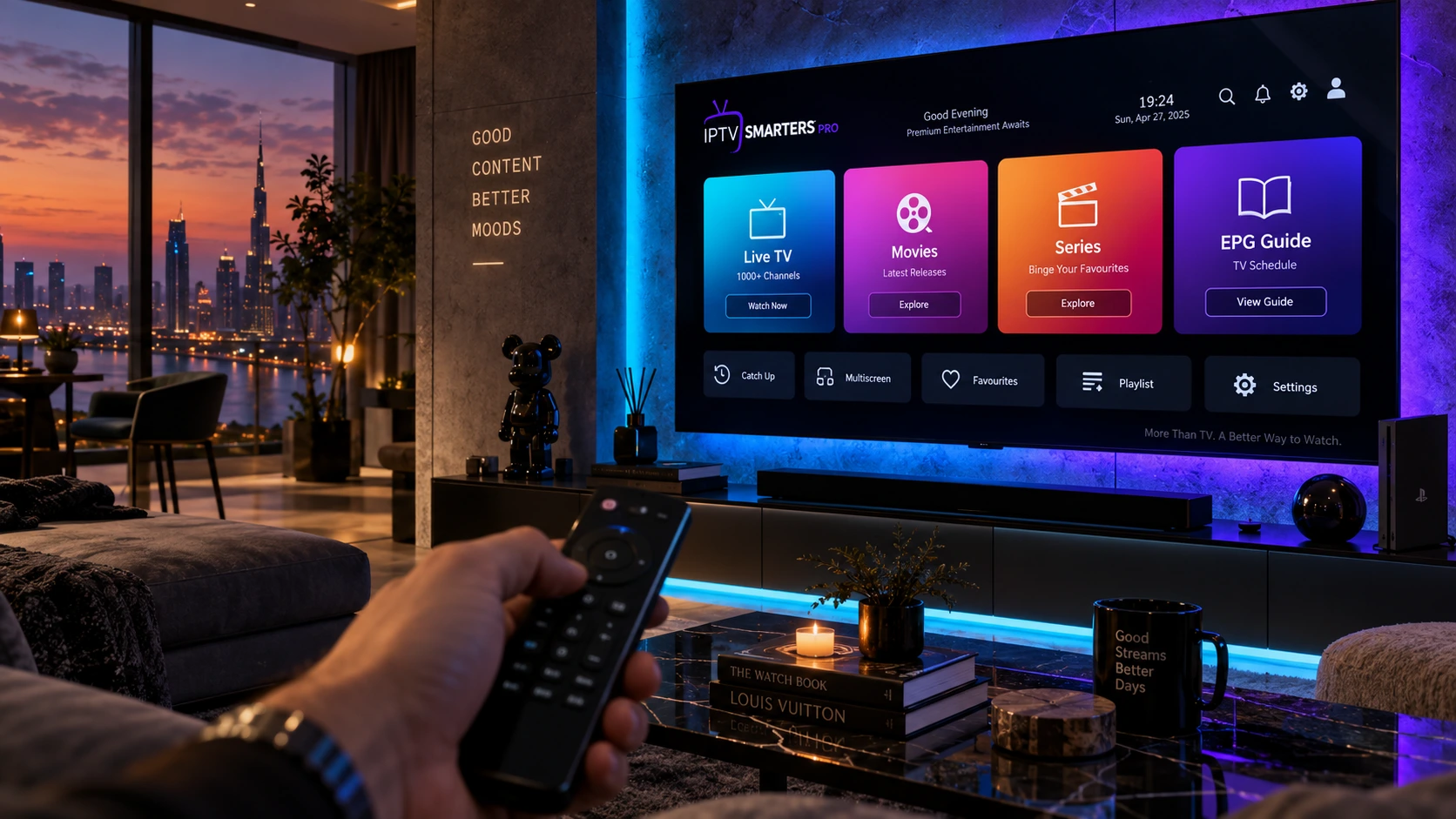
IPTV Smarters Pro (also known as Smarters Player Lite) is an advanced video streaming application developed specifically for IPTV service integration. Its popularity stems from its intuitive graphic interface, which mirrors premium subscription apps like Netflix and Apple TV.
Key features that make IPTV Smarters Pro the top choice among cord-cutters include:
- Xtream Codes API Integration: Simplifies login by using just a username, password, and server URL rather than clumsy 200-character M3U links.
- Built-in Multi-Screen Functionality: Watch up to 4 live sports matches simultaneously on a single screen.
- Parental Controls & Master Search: Lock adult categories with a secure PIN and find any sports channel or movie in seconds.
- Integrated Player Engines: Native support for ExoPlayer and VLC decoders ensures 4K 60FPS video rendering without frame drops.
Step 1: Downloading IPTV Smarters Pro on Firestick & Smart TVs
Because IPTV Smarters Pro is available across multiple operating systems, installation is fast regardless of your streaming hardware:
- On Amazon Fire TV / Android TV: Open the Downloader app, type the direct official download code for Smarters, and click Install.
- On Android Phones & Google TV: Search for “Smarters Player Lite” directly in the official Google Play Store and install it with one click.
- On Apple TV & iOS (iPhone/iPad): Download “Smarters Player Lite” from the Apple App Store.
- On Samsung & LG Smart TVs: Search for “IPTV Smarters” in the Samsung Smart Hub or LG Content Store.
Step 2: Choosing Your Login Method (Xtream Codes vs. M3U)
When you launch IPTV Smarters Pro for the first time, you will be presented with several authentication options. Selecting the right method is critical for smooth channel indexing:
Recommended: Login with Xtream Codes API
Always select “Load Your Playlist or File/URL” > “Login with Xtream Codes API”. This method loads full EPG guide data, categorizes VOD movies automatically, and connects faster than static M3U playlist files.
Step 3: Entering Your SpaceOTT Subscription Credentials
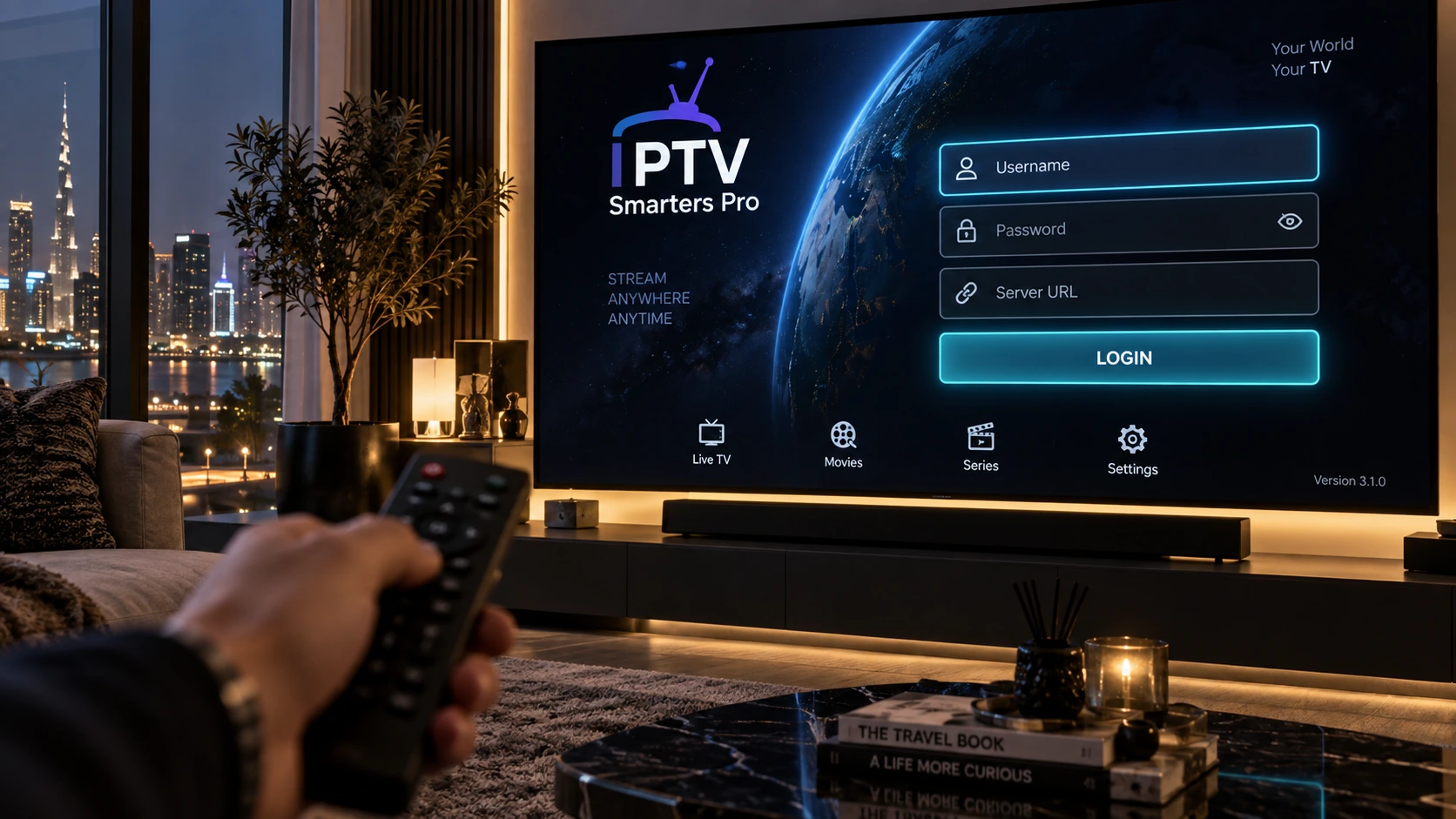
To connect your premium channels to IPTV Smarters Pro, enter the account details provided in your SpaceOTT activation email:
- Any Name: Enter
SpaceOTT(or your preferred profile name). - Username: Type your assigned subscription username.
- Password: Type your assigned account password.
- Server URL: Paste your designated SpaceOTT portal address (e.g.,
http://portal-url:port).
Click ADD USER. The app will sync your channel playlists, VOD cinema libraries, and TV series within 15 to 30 seconds.
Step 4: Hardware Decoders & 60FPS Video Optimization
Out of the box, default player parameters may cause stutter during fast live sports. To optimize IPTV Smarters Pro for flawless 4K playback, adjust these core settings:
- Go to Settings > Player Selection and ensure built-in Hardware Decoding (HW) is selected for Live TV and Movies.
- Go to Settings > Stream Format and select HLS (.m3u8) for superior anti-buffer stability.
- Go to Settings > Time Format and set your local timezone for accurate EPG program listings.
Step 5: Setting Up EPG TV Guides & Multi-Screen View
To enjoy a true cable-like experience inside IPTV Smarters Pro, click the Install EPG button on the home screen. This downloads real-time schedules, program descriptions, and upcoming match timetables.
If you want to watch multiple soccer matches, NFL games, or news broadcasts simultaneously, click the Multi-Screen icon on the dashboard and select a 2-screen, 3-screen, or 4-screen layout with full audio toggling.
Comparison: Default Setup vs. Optimized IPTV Smarters Pro
Review the performance advantages when you run a fully tuned IPTV Smarters Pro setup with SpaceOTT:
| Performance Feature | Default Unoptimized Player | Optimized IPTV Smarters Pro |
|---|---|---|
| Channel Switching Speed | 3 to 5 seconds lag | Instantaneous (Under 1 second) |
| Live Sports Video Quality | Compressed 30 FPS | Fluid 60 FPS in Full HD & 4K UHD |
| EPG Program Guide | Manual or missing data | Auto-updating real-time schedules |
| Simultaneous Multi-Screen | Not supported | Watch up to 4 games at once |
| Buffer Management | Prone to micro-stutters | Anti-Freeze 9.0 cache optimization |
Troubleshooting Common IPTV Smarters Pro Errors
If you encounter minor technical hiccups while using IPTV Smarters Pro, apply these proven quick fixes:
- “Invalid Details” Error: Double-check your username and password for accidental spaces at the beginning or end.
- Audio Plays but Black Screen: In settings, switch the Live TV video decoder from Native to Built-in VLC or Hardware (HW).
- EPG Not Loading: Click Settings > Refresh EPG to force an immediate metadata sync from the server.
- Stream Buffering: Clear the application cache from your device settings and connect via a 5 GHz Wi-Fi band or hardwired Ethernet.
Frequently Asked Questions (FAQ)
Yes. The standard version of IPTV Smarters Pro is free to download. However, you need an active subscription like SpaceOTT to provide playlist credentials and live channel streams.
Yes. IPTV Smarters Pro can be installed on Firesticks, Smart TVs, Android boxes, iPhones, and PCs. Simultaneous streaming depends on the number of connections included in your subscription plan.
Switch your player format to HLS, enable Hardware Decoding in settings, clear app cache regularly, and ensure your internet speed is at least 30 Mbps on a 5 GHz wireless network.
TiviMate is engineered primarily for Android TV and Firestick with a traditional cable EPG guide, while IPTV Smarters Pro offers cross-platform support across iOS, Smart TVs, and Android with visual VOD tiles.
Your portal URL, username, and password are generated instantly when you sign up for a verified subscription service like SpaceOTT.
Verified Subscriber Setup Feedback
“Configured IPTV Smarters Pro with SpaceOTT on my Firestick in under 4 minutes. The multi-screen feature during Premier League weekends is phenomenal!”
“The video decoder switch to Hardware (HW) completely eliminated stream freezing on 4K sports. Brilliant step-by-step setup guide.”
“Installed it on both my Samsung Smart TV and iPhone. The movie section updates daily and the channel navigation is smooth and fast.”
Master Verdict: Elevate Your Streaming Experience
The Gold Standard for Home Entertainment
Mastering IPTV Smarters Pro gives you total control over your television. By following these 5 simple steps and pairing the app with a high-performance, anti-freeze provider like SpaceOTT, you unlock an elite 4K entertainment hub packed with over 20,000 live channels, free pay-per-views, and tens of thousands of movies.
Download the app today, log in with your Xtream Codes credentials, and experience buffer-free live television on any screen in your home!
2 thoughts on “IPTV Smarters Pro: 5 Easy Steps for Complete 4K TV Setup”
Comments are closed.