
IP TV is a way of delivering television through an internet connection instead of relying only on traditional cable, satellite, or terrestrial broadcasting. It can provide live channels, movies, series, sports, and other video content on compatible televisions and streaming devices.
The term is commonly written as IPTV, which stands for Internet Protocol Television. People searching for IP TV are usually trying to understand how internet television works, what equipment is required, and whether it can replace a conventional TV subscription.
This guide explains the technology in simple terms, covers compatible devices, shows what to check before choosing a service, and explains how to improve streaming performance at home.
IP TV Beginner Guide
1. What Is IP TV?
IP TV means television content is delivered using internet protocol technology. Instead of receiving every channel through a satellite dish or cable connection, your device requests and receives video through a network connection.
This makes internet television more flexible than many older broadcasting systems because the service can potentially work on Smart TVs, streaming boxes, smartphones, tablets, and computers.
The technology itself is not limited to one company or one type of content. Different providers can use IPTV technology for live television, video-on-demand libraries, replay features, and other forms of digital entertainment.
IPTV Is a Technology, Not a Single Service
The term IPTV describes a method of delivering television through internet protocol. The channels, applications, subscription terms, quality, and content rights depend on the individual service.
If you want a broader introduction, our IPTV explained guide covers the technology and its main advantages in more detail.
2. How Does IP TV Work?
Traditional television systems usually broadcast channels through cable networks, satellite signals, or terrestrial transmitters. IP TV uses internet protocol to deliver video data to the device requesting it.
When you choose a live channel or video, the service sends the relevant stream through your network connection. A compatible application or player then decodes that stream and displays it on your screen.
The Basic Process
- You connect a compatible device to the internet.
- You open the provider’s supported application or player.
- You select a live channel or on-demand program.
- The video stream is delivered through the network.
- Your device decodes the stream and displays it on screen.
Because the system depends on a network connection, broadband quality and home Wi-Fi performance can influence the viewing experience.
3. What Can You Watch With IP TV?
The exact content depends entirely on the service, but IP TV technology can support several different types of television and video.
Live Television
Live channels can include entertainment, news, sports, children’s programming, documentaries, and other scheduled television depending on the provider.
Video on Demand
Some services include libraries of movies, series, documentaries, or other programs that can be started whenever the viewer chooses.
Sports and Events
Internet television can also deliver live sporting events. Availability depends on broadcasting rights, the provider, and the viewer’s region.
Catch-Up and Replay
Some platforms include features that allow viewers to return to programs that aired earlier. Availability and retention periods vary by service.
4. What Devices Support IP TV?
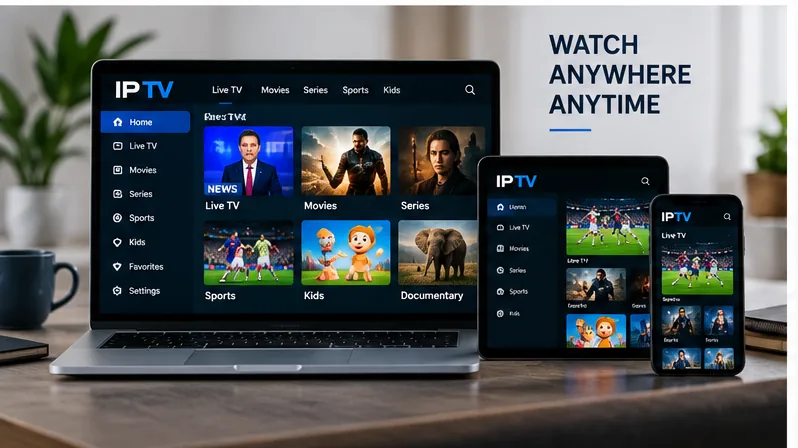
One of the main advantages of IP TV is device flexibility. Depending on the provider and application, the same type of television service can work across several platforms.
| Device | Typical Setup | What to Check |
|---|---|---|
| Smart TV | Compatible television app | App availability and TV operating system |
| Fire TV | Streaming application | Player compatibility and network quality |
| Android TV | Supported IPTV player | App source and device performance |
| Apple TV | tvOS-compatible player | App support and playlist compatibility |
| Phone or Tablet | Mobile application | Operating system support |
| Computer | Web or desktop player | Browser or software compatibility |
The best device is usually the one that supports the application you need, performs smoothly, and has a stable connection to your router.
For television-specific setup guidance, see our guide to installing IPTV on a Smart TV.
5. What Do You Need for an IP TV Setup?
A basic IP TV setup does not need to be complicated. Most users need a reliable internet connection, compatible hardware, a suitable player, and access credentials from their television provider.
Reliable Internet
Video streaming continuously transfers data, so connection stability is important. Faster speeds can help with high-resolution streams and multiple simultaneous viewers, but a stable connection is just as important as headline speed.
A Compatible Player
An IPTV player is the application that displays the channels or content supplied by a compatible service. The player itself does not necessarily include a television subscription.
Your Provider Details
Depending on the service, access may be supplied through a username and password, a playlist URL, an M3U file, Xtream-style credentials, or another supported method.
Player and Subscription Are Different
Installing an IPTV player does not automatically provide channels. The player is the software interface, while access to television content comes from a separate compatible service or authorized provider.
6. How to Choose an IP TV Service
Choosing IP TV should involve more than comparing the number of advertised channels. Reliability, compatibility, support, content rights, and transparency matter more than a huge marketing number.
Check These Factors
- Whether the service offers the content you actually watch.
- Compatibility with your preferred television or streaming device.
- Availability in your region.
- Clear subscription and renewal terms.
- Responsive customer support.
- Streaming quality that matches your internet connection.
- Any device or simultaneous-stream limits.
Our IPTV subscription guide covers additional points to check before choosing a plan.
For a technical definition of IPTV and how the technology differs from traditional broadcasting, TechTarget’s IPTV overview provides useful background information.
7. How to Improve IP TV Streaming Quality
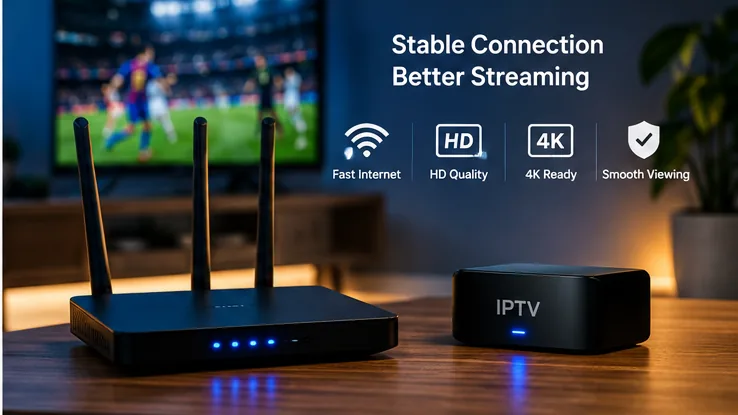
A good IP TV experience depends on the complete chain between the stream and your television. A fast internet plan alone cannot fix weak Wi-Fi, overloaded hardware, or an unstable source.
Use Ethernet When Practical
A wired Ethernet connection can reduce interference and provide a more consistent connection to stationary streaming devices.
Improve Wi-Fi Coverage
If Ethernet is not practical, keep the router in an open location and avoid placing the streaming device where walls or furniture heavily weaken the signal.
Keep Your Device Updated
Operating system updates and current app versions can fix bugs and improve compatibility.
Avoid Network Congestion
Large downloads, cloud backups, gaming updates, and several simultaneous high-resolution streams can compete for bandwidth.
8. IP TV vs Traditional Television
Both systems ultimately put television on your screen, but they deliver it differently.
| Feature | IP TV | Traditional TV |
|---|---|---|
| Delivery | Internet protocol network | Cable, satellite, or terrestrial signal |
| Devices | Often supports multiple device types | Commonly centered around television hardware |
| On-Demand | Can be highly integrated | Depends on provider and package |
| Internet Required | Yes | Not always for traditional broadcasts |
| Portability | Potentially flexible | Usually more location dependent |
For households already using high-speed broadband and Smart TVs, internet television can offer a convenient way to combine live channels and on-demand viewing in the same digital environment.
9. Common IP TV Problems and Fixes
Buffering
Buffering can happen because of weak Wi-Fi, network congestion, device limitations, problems with the application, or issues further upstream.
Channels Loading Slowly
Try restarting the application and device, testing the internet connection, and checking whether other devices are heavily using the network.
App Crashes
Update the app, restart the device, and make sure enough storage and memory are available.
Poor Picture Quality
If IP TV quality repeatedly drops, check the Wi-Fi signal at the television itself rather than testing only beside your router.
Stream Freezing
Freezing can come from several points in the delivery chain. Our IPTV buffering fix guide covers additional troubleshooting steps.
Is IP TV Worth Using?
IP TV can make sense for viewers who value device flexibility, internet-based delivery, live television, and on-demand content.
It is especially convenient in homes that already rely heavily on Smart TVs and streaming devices rather than traditional television hardware.
However, the quality of the experience depends heavily on the provider, your internet connection, the player, and the device you use.
Rather than choosing a service because it promises a huge number of channels, focus on the content you actually watch, device compatibility, reliability, support, and clear subscription terms.
Frequently Asked Questions About IP TV
IP TV refers to television delivered through internet protocol technology. It is commonly written as IPTV, which stands for Internet Protocol Television.
IP TV delivers television and video streams through an internet protocol network. A compatible application or player receives the stream and displays it on your television, phone, tablet, computer, or streaming device.
No. IP TV can work on various compatible devices, including streaming boxes, phones, tablets, computers, and supported Smart TVs.
Not necessarily. An IPTV player is usually software used to display content from a compatible service. Access to channels or video content normally comes from a separate provider.
Buffering can be caused by weak Wi-Fi, network congestion, internet instability, device limitations, application problems, or issues with the video source.
It can replace traditional cable for some households if the service provides the channels and features they need and their internet connection is reliable enough for regular streaming.
Why Viewers Choose SpaceOTT
A flexible internet television setup makes it easier to watch across compatible screens without relying entirely on traditional television hardware.
Clear device guidance helps viewers understand how different players, televisions, and streaming hardware fit into the same setup.
Internet-based television can provide a practical way to combine live viewing and on-demand entertainment on modern devices.
Simple setup information makes it easier to understand the relationship between the subscription, player, network, and viewing device.
Compatible streaming devices and a stable home network can make internet television more convenient for everyday viewing.
Final Verdict: Understanding IP TV
Internet Television Can Be Simple
IP TV is essentially television delivered through internet protocol rather than relying exclusively on older broadcast methods.
The technology can support live channels, sports, movies, series, and on-demand content across a wide range of compatible devices.
For the best experience, focus on a reliable internet connection, suitable hardware, a compatible player, and a service that provides the content you actually need.
Once those pieces are in place, IP TV can provide a flexible way to bring television and streaming together in one modern setup.
2 thoughts on “IP TV: 7 Powerful Ways Internet Television Works”
Comments are closed.