
IPTV vs cable is one of the biggest comparisons for viewers reconsidering how they watch television in 2026. Both options can deliver live channels, sports, movies, and entertainment, but the technology behind them—and the experience in your home—can be very different.
Traditional cable TV generally relies on a provider-managed physical network and dedicated equipment. IPTV delivers television through Internet Protocol networks, making your internet connection, streaming device, and software a much bigger part of the experience.
So which one makes more sense? Instead of declaring one universal winner, this guide compares the differences that actually matter: setup, devices, content, reliability, flexibility, cost, and everyday usability.
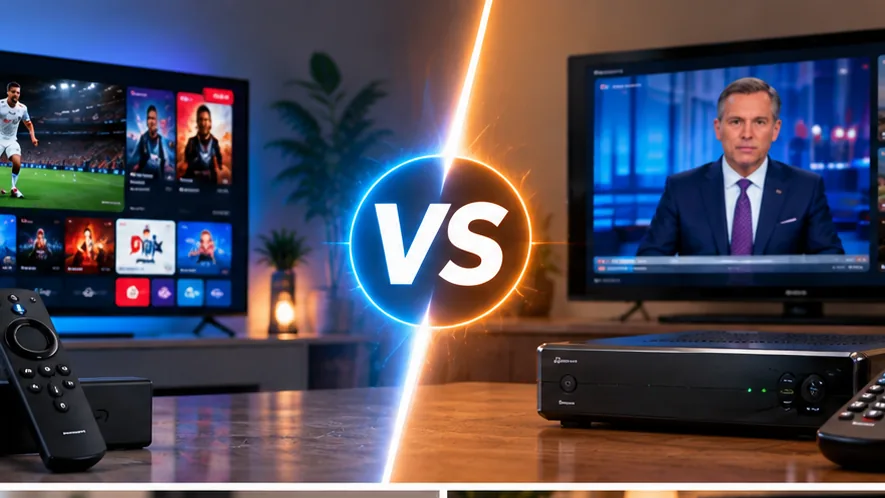
IPTV vs Cable Comparison Guide
IPTV vs Cable: How Does Each One Work?
The most fundamental difference between IPTV and cable TV is how television content reaches your screen.
How Cable TV Works
Traditional cable television is delivered through infrastructure controlled by the television provider. Depending on the service and location, a household may use coaxial or fiber infrastructure together with a provider-supplied receiver or set-top box.
The provider manages much of the television delivery environment, which can make cable feel relatively straightforward for users who prefer a conventional television setup.
How IPTV Works
IPTV uses Internet Protocol technology to deliver video content over an IP network. Rather than relying on the traditional cable television delivery model, compatible applications and connected devices can be used to access live or on-demand programming.
Quick Explanation
Cable is closely connected to the television company’s physical network and equipment. IPTV is much more closely connected to your internet connection, streaming device, and software environment.
IPTV vs Cable Setup and Equipment
Equipment is one of the first differences most households notice.
Cable television commonly uses hardware supplied or approved by the provider. Depending on the service, professional installation or equipment activation may also be required.
IPTV can often run on hardware you already own, such as a compatible Smart TV, Fire TV device, Android TV device, smartphone, tablet, or computer.
This can reduce dependence on traditional television receivers, although the IPTV application itself still needs to be properly configured.
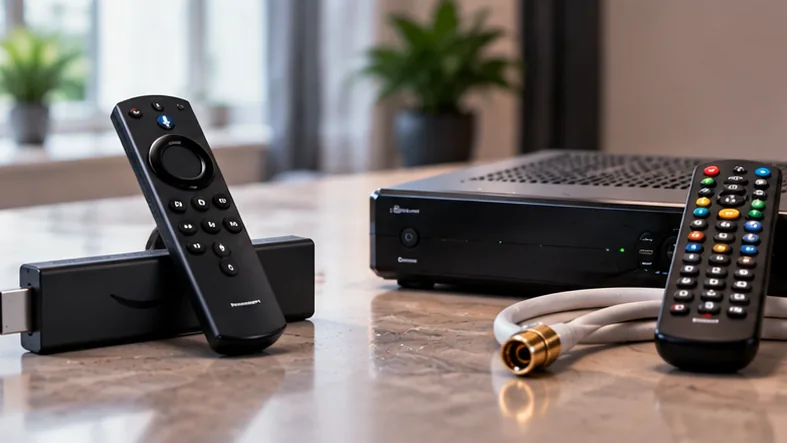
IPTV Offers a Different Level of Device Flexibility
Device flexibility is one of the reasons many viewers investigate IPTV as a cable TV alternative.
A compatible IPTV setup can potentially work across several types of connected devices rather than being centered around one traditional television receiver.
- Smart TVs: Many television platforms support compatible IPTV player applications.
- Streaming devices: Fire TV and Android-based hardware can provide a simple living-room setup.
- Phones and tablets: Compatible applications can make television viewing more portable.
- Computers: Desktop and laptop viewing may also be possible depending on the service and player.
If Amazon Fire TV is your primary device, our IPTV for Firestick guide explains the main factors to consider when choosing a Fire TV setup.
IPTV vs Cable for Channels and On-Demand Content
Both IPTV and cable can provide live television. The important question is not which one advertises the largest number of channels—it is which one provides the content you actually want to watch.
Cable packages are commonly divided into predefined tiers containing combinations of local channels, entertainment networks, sports, news, and optional premium programming.
IPTV interfaces may combine live television categories with on-demand libraries, program guides, favorites, search tools, and other software-based navigation features.
Relevant Content Matters More Than Huge Numbers
When comparing television options, avoid choosing solely because of an advertised channel count. Thousands of channels provide little value if the service does not include the networks, languages, sports, or entertainment categories you actually use.
For a broader look at internet-based television options, see our live TV streaming services guide.
Streaming Quality and Reliability
Reliability is an important part of any IPTV vs cable TV comparison.
Cable television operates through a managed television network and is generally less dependent on the quality of Wi-Fi inside your home.
IPTV depends directly on network connectivity. A strong broadband connection can provide an excellent viewing experience, but weak Wi-Fi, congestion, device limitations, router placement, or streaming configuration can negatively affect playback.
Do Not Blame Every Buffering Problem on IPTV
If a stream buffers, the cause can be the video source, your internet connection, Wi-Fi signal, router, streaming device, or player configuration. Troubleshooting the complete setup is more useful than assuming one component is always responsible.
If this is already a problem in your home, our IPTV buffering troubleshooting guide covers practical ways to diagnose common playback issues.
Is IPTV Cheaper Than Cable?
Price is often one of the biggest reasons people compare IPTV with cable, but comparing only the advertised monthly subscription price can be misleading.
A cable bill can include the base television package, equipment, additional receivers, premium content, and other provider-specific charges.
An IPTV-based setup can have a different cost structure. You may already own the streaming hardware, but broadband, optional player applications, and other entertainment subscriptions still contribute to your total household cost.
An updated Consumer Reports cord-cutting guide explains why viewers should calculate their complete combination of television and streaming services instead of assuming that leaving cable always means paying less.
Before choosing a long-term plan, read our IPTV subscription guide to understand the factors worth checking in a subscription.
IPTV vs Cable for Multi-Device and Portable Viewing
Traditional cable television was designed primarily around televisions connected to the service inside the home. Modern cable companies may offer companion apps, but the underlying service can still remain closely connected to the provider’s television ecosystem.
IPTV is naturally more software-oriented. Depending on the provider, application, and subscription rules, it can be easier to use compatible devices in different rooms or on different screen types.
However, never assume a subscription includes unlimited devices or simultaneous connections. Those rules vary from one service to another and should be checked before subscribing.
IPTV vs Cable Comparison Table
| Feature | IPTV | Cable TV |
|---|---|---|
| Delivery Method | Internet Protocol network | Provider-managed cable infrastructure |
| Internet Dependency | High | TV service is less dependent on home Wi-Fi |
| Hardware | Smart TV or compatible streaming device | Often provider-specific receiver equipment |
| Device Flexibility | Potentially available across several device types | Traditionally centered around connected televisions |
| Installation | Usually application and account configuration | May require provider hardware or installation |
| Live TV | Available depending on service | Core feature of traditional cable |
| On-Demand | Can be integrated into the same application | Available depending on the cable package |
| Portability | Generally more device-oriented | More traditionally home-oriented |
| Best For | Viewers prioritizing flexibility and connected devices | Viewers prioritizing a familiar managed TV setup |
Who Should Choose IPTV and Who Should Choose Cable?
IPTV May Be a Better Fit If…
- You regularly use Smart TVs or streaming devices.
- You prefer an application-based television experience.
- You want more flexibility across compatible devices.
- You are comfortable managing your home internet and Wi-Fi setup.
- You want to explore alternatives to a traditional cable package.
Cable May Be a Better Fit If…
- You prefer a conventional television experience.
- You want provider-managed television equipment.
- You do not want your main television experience to depend heavily on home Wi-Fi.
- You already have a competitive TV and internet bundle.
- You prefer dealing with one traditional provider for installation and television support.
Best Way to Decide
Write down the channels you watch, devices you use, your total cable bill, your internet quality, and the features you actually need. Comparing those real requirements gives you a much better answer than comparing marketing claims.
Common Mistakes When Switching From Cable to IPTV
Moving from cable to IPTV can be straightforward, but a few common mistakes can make the transition unnecessarily frustrating.
- Ignoring Wi-Fi quality: A fast broadband plan does not guarantee a strong signal in every room.
- Choosing by channel count alone: Relevant content is more important than a huge advertised number.
- Not checking device compatibility: Confirm your preferred player works with your television or streaming hardware.
- Buying a long plan immediately: When possible, evaluate the service before making a longer commitment.
- Ignoring the total cost: Include broadband, devices, applications, and other subscriptions in your comparison.
Frequently Asked Questions About IPTV vs Cable
IPTV delivers television through Internet Protocol networks, while traditional cable TV generally uses a provider-managed cable network and dedicated television equipment.
It depends on your priorities. IPTV can offer greater device flexibility, while cable may appeal to viewers who prefer a familiar managed television service that is less dependent on their home Wi-Fi setup.
It can be, but the true comparison depends on the specific subscriptions, broadband cost, equipment, optional applications, and other streaming services you pay for.
Yes. IPTV relies on IP-based connectivity, so internet stability and the quality of your home network can directly affect the viewing experience.
For some households it can, provided the IPTV or streaming setup includes the content, devices, and features they need. Other viewers may still prefer cable for specific local channels, bundles, or service arrangements.
Check your internet stability, device compatibility, important channels, picture quality, navigation, player setup, and the total cost of your television and streaming subscriptions.
What Viewers Like About SpaceOTT
Viewers looking for a simple way to move beyond traditional cable can appreciate SpaceOTT’s clear setup process and compatibility with popular streaming devices.
SpaceOTT is a strong fit for households that want more flexibility across Smart TVs, streaming devices, and other compatible screens.
The service is designed for viewers who want convenient access to live television and entertainment without relying on a traditional cable box setup.
A flexible device setup makes SpaceOTT appealing to users who prefer watching through modern streaming hardware and compatible IPTV players.
For viewers comparing IPTV vs cable, SpaceOTT provides a modern internet-based viewing option built around connected devices and flexible streaming.
Final Verdict: IPTV vs Cable in 2026
Choose Based on Your Actual Viewing Habits
There is no universal winner in the IPTV vs cable comparison.
IPTV can be attractive for viewers who value connected devices, software-based navigation, and flexibility. Cable can still make sense for households that prefer a familiar provider-managed television experience and want less dependence on the quality of their home Wi-Fi.
Before switching, compare your actual content needs, internet connection, hardware, total monthly cost, and preferred viewing devices. The television system that fits those requirements is more important than whichever technology has the strongest marketing claims.