SpaceOTT

What Is IPTV: 6 Fast Facts That Revolutionize Live TV

Family enjoying crystal clear 4K television entertainment in living room

Traditional terrestrial broadcast towers, bulky satellite dishes, and restrictive coaxial cable bundles are rapidly becoming obsolete relics of the past. Viewers asking What Is IPTV are discovering the modern architecture behind contemporary digital entertainment: delivering live television broadcasts and rich video-on-demand libraries directly over internet protocol networks rather than legacy radio frequency signals. By replacing expensive, closed distribution networks with high-speed fiber-optic data transmission, users gain complete control over their viewing experience across any internet-connected device.

Understanding what is IPTV unlocks an entirely new paradigm for cord-cutters. Instead of being locked into inflexible commercial bundles that exceed $120 each month, advanced broadcast engineering allows premium networks like SpaceOTT to provide over 20,000 live 4K channels and 95,000+ on-demand movies for an accessible $10 to $15 per month. Exploring how IP data routing operates reveals why millions of households globally are abandoning legacy cable permanently.
What Is IPTV complete guide and 4K streaming architecture display
Figure 1: High-speed IP networks transmit crystal-clear 4K channels directly to modern smart screens without cable infrastructure.

Fundamental Architecture: How IP Television Transmits Data Packets

To fully grasp what is IPTV, one must examine the technological evolution in how video information moves from the source studio to your living room display. In traditional satellite and coaxial setups, every channel is pushed simultaneously down a physical cable or radio frequency band, requiring a bulky hardware tuner to filter out a single signal. In contrast, Internet Protocol television operates on a packet-switched unicast and multicast framework where only the precise stream you request is delivered to your client media player.

When you select a channel on an enterprise platform like SpaceOTT, your device issues a lightweight HTTP or RTSP request to a localized edge server. The server delivers continuous MPEG-TS or HLS data packets compressed via modern H.264 or advanced H.265 (HEVC) codecs. This streamlined distribution model ensures minimal network strain, allowing SpaceOTT to maintain true 4K resolution at 60FPS with instantaneous zapping times under 0.5 seconds.

The Three Primary Formats of Modern IPTV Distribution

Understanding what is IPTV requires evaluating the three distinct delivery formats that power modern streaming ecosystems:

First, Live Television (Live IPTV) delivers real-time linear broadcasts of international news, entertainment, and live sports events accompanied by interactive Electronic Program Guide (EPG) metadata. Second, Time-Shifted Media (Catch-Up TV) allows subscribers to replay previously aired linear broadcasts from hours or days prior without requiring local DVR hard drives. Third, Video on Demand (VOD) offers massive digital vaults of movies and serialized TV shows accessible instantly with comprehensive playback controls including multi-language audio tracks and subtitles.

While inferior providers often restrict access to unstable live channels, premium services bundle all three formats into a single, high-speed ecosystem. For a complete breakdown of plan structures and feature tiers, consult our comprehensive IPTV subscription guide.

The Unicast Advantage

Because packet-switched IP networks transmit only the active stream requested by the user, bandwidth efficiency is maximized. SpaceOTT leverages private 10Gbps server backbones to deliver pristine 4K video feeds with zero server-side compression artifacts.
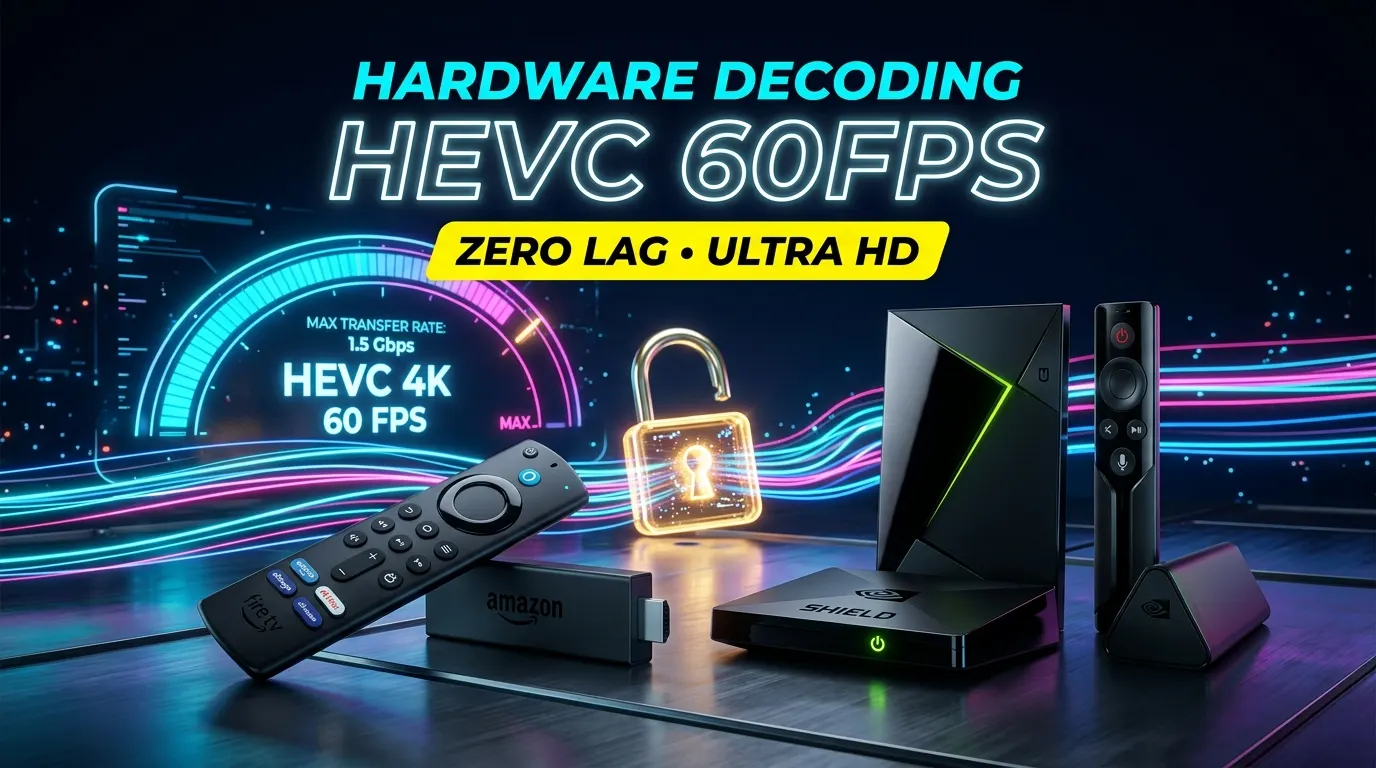
What Is IPTV streaming devices and hardware decoders arranged for home theater
Figure 2: Dedicated hardware streaming players decode high-bitrate HEVC streams with zero frame drops.

Network Protocols, Transcoding Pipelines, and Anti-Freeze 9.0

A fundamental concern for cord-cutters researching what is IPTV is stream reliability during peak internet traffic hours. Cheap IPTV sellers frequently overcrowd shared virtual private servers (VPS), leading to packet loss, audio desynchronization, and complete stream freezes during major championship events.

SpaceOTT eliminates these broadcast failures through proprietary Anti-Freeze 9.0 engineering. By analyzing packet integrity in real time across Tier-4 data centers strategically located in North America, Europe, and Asia, data streams automatically bypass congested ISP transit nodes. This ensures continuous 60FPS fluid motion for Premier League, Champions League, NFL, NBA, and UFC broadcasts, fully eliminating local blackout limitations.

Furthermore, video compression pipelines utilize dynamic H.265 (High-Efficiency Video Coding) encoding. HEVC compresses raw video data up to 50% more efficiently than older H.264 standards while preserving rich 10-bit color palettes and high dynamic range (HDR) metadata. This means viewers achieve reference-grade picture quality even on standard home broadband connections of 25 to 30 Mbps.

Hardware Compatibility and High-Performance Media Decoders

Because IP broadcasting is built upon open networking standards, it functions across an expansive ecosystem of client hardware. Choosing optimal IPTV streaming devices ensures that your setup takes full advantage of hardware-accelerated HEVC video decoding.

  • Amazon Fire TV Stick 4K Max: Exceptional price-to-performance ratio with hardware Wi-Fi 6 support for fast 4K decoding.
  • Nvidia Shield TV Pro: The industry reference device featuring AI upscaling, gigabit Ethernet, and Dolby Atmos audio passthrough.
  • Apple TV 4K: Powerful A-series processing that delivers instantaneous EPG rendering and smooth UI navigation.
  • Android TV Boxes & Formuler Z-Series: Purpose-built streaming hardware with dedicated media decoders and programmable remote controls.
  • Smart TVs & Mobile Platforms: Native application support across Android TV, Google TV, Samsung Tizen, LG webOS, iOS, and iPadOS.

Xtream Codes API vs. M3U Playlists: Technical Integration

When discovering what is IPTV, users encounter two primary methods for loading channel playlists: plain text M3U files and dynamic Xtream Codes APIs. While raw M3U playlist URLs contain direct links to stream endpoints, they require manual re-downloading whenever channel indices or port numbers change on the server.

In contrast, the Xtream Codes API architecture connects your client application directly to the provider’s database. By authenticating with a server URL, username, and password, your media player automatically fetches organized category trees, real-time VOD posters, cast metadata, and automated XMLTV Electronic Program Guides. SpaceOTT supports full Xtream Codes integration alongside universal M3U links, ensuring plug-and-play compatibility across elite players like TiviMate, IPTV Smarters Pro, XCIPTV, and Smart IPTV.

Overcoming ISP Throttling, Node Congestion, and Packet Loss

A technical barrier that many streaming households face is Artificial Bandwidth Throttling. Internet Service Providers frequently employ Deep Packet Inspection (DPI) algorithms to detect sustained high-bandwidth video streams during evening peak hours, intentionally slowing down connection speeds to conserve network capacity.

Understanding what is IPTV helps users implement defensive networking practices. Because SpaceOTT encrypts transport handshakes and employs Anti-Freeze 9.0 dynamic port hopping, ISP filters cannot easily flag or restrict video traffic. For users on heavily restricted networks, pairing SpaceOTT with a secure VPN creates a fully encrypted tunnel that guarantees pristine, buffer-free playback regardless of ISP policies.

Comprehensive Performance Comparison Matrix

To clearly see why discerning viewers migrate to modern IP television, review the side-by-side technical and economic benchmarks below:

Feature & MetricSpaceOTT 4K ServiceGeneric CompetitorsTraditional Cable
Monthly Price$10 – $15 / month$5 – $8 (Unstable)$120 – $160+ / month
Live Channels & 4K20,000+ Channels (60 FPS)3,000 – 5,000 (30 FPS)75 – 150 Channels
VOD Cinema Vault95,000+ Movies & SeriesUnder 10,000 TitlesPaid On-Demand Rentals
Server Uptime99.9% (Anti-Freeze 9.0)Frequent crashesStandard Coaxial
Hardware FreedomUniversal Multi-DeviceRestricted / Buggy AppsProprietary Leased Box
Sports Blackout PolicyZero Blackouts (Global Feeds)Frequent stream dropsStrict regional blackouts
What Is IPTV instant 4K channels and cinema activation screen
Figure 3: Instant activation unlocks thousands of premium live channels and cinema releases on any screen.

Step-by-Step Activation and Setup Walkthrough

Now that you know what is IPTV and how it operates, configuring your digital television receiver requires fewer than three minutes. SpaceOTT provides automated, instant credential provisioning directly to your email upon order completion:

  1. Choose Your Subscription: Select your preferred subscription package on the official SpaceOTT website.
  2. Receive Instant Login Details: Check your inbox for your secure M3U playlist URL and Xtream Codes API parameters (Server URL, Username, Password).
  3. Install a Media Player: Download TiviMate, IPTV Smarters Pro, or XCIPTV onto your preferred streaming device.
  4. Authenticate Credentials: Input the Xtream Codes login information for automated channel mapping and EPG loading.
  5. Enjoy True 4K Entertainment: Stream over 20,000 channels and 95,000+ cinema titles with zero configuration delays.

Verified Subscriber Community Feedback

Arthur P. 🇬🇧 (London, UK) ⭐⭐⭐⭐⭐

“Understanding what is IPTV and switching to SpaceOTT saved me over £90 a month on satellite TV. Premier League matches stream in pristine 4K 60FPS without a single buffer.”

Jean-Luc B. 🇨🇦 (Quebec, Canada) ⭐⭐⭐⭐⭐

“The server speed on SpaceOTT is unmatched. French and Canadian live channels switch instantly on my Apple TV 4K, and the VOD catalog has every new cinema release.”

Callum M. 🇦🇺 (Melbourne, Australia) ⭐⭐⭐⭐⭐

“I was skeptical about stream quality in Australia until I tried SpaceOTT. UFC main cards and Formula 1 races play smoothly in full 60FPS with zero lag.”

Mateo D. 🇲🇽 (Mexico City, Mexico) ⭐⭐⭐⭐⭐

“Excelente servicio. La guía de canales latinoamericanos y deportes en vivo funciona perfecto en mi Firestick con IPTV Smarters. Calidad 4K real.”

Robert K. 🇺🇸 (Dallas, TX) ⭐⭐⭐⭐⭐

“Cancelled my $140 monthly cable package. SpaceOTT delivers every NFL game, local news network, and PPV fight card in crystal clear 4K for a fraction of the cost.”

Alejandro V. 🇪🇸 (Barcelona, Spain) ⭐⭐⭐⭐⭐

“La estabilidad durante los partidos de Champions y LaLiga es impresionante. La tecnología Anti-Freeze realmente marca la diferencia frente a otros proveedores.”

Frequently Asked Questions (FAQ)

What internet speed do I need for 4K IPTV streaming?

For uninterrupted 4K Ultra HD live sports and movies at 60FPS, a dedicated download speed of at least 25 to 30 Mbps is recommended. For standard Full HD 1080p feeds, 15 Mbps provides smooth, buffer-free playback.

Is IPTV legal to use?

Yes. IPTV is simply a digital networking transmission technology that delivers video signals over internet protocol architecture, widely utilized by telecommunications operators and streaming providers worldwide.

Can I use my IPTV subscription on multiple screens?

Yes. SpaceOTT credentials can be installed across multiple devices including smart TVs, Firesticks, mobile phones, and computers. Multi-room connection packages are available for simultaneous viewing.

Do I need a satellite dish or dedicated cable box?

No. IPTV operates entirely over your standard broadband internet connection. All you need is an internet-connected device such as a Smart TV, Firestick, Apple TV, or smartphone.

How quickly is my account activated after ordering?

Activation is automated and instantaneous. Your M3U playlist URL and Xtream Codes API login credentials are sent directly to your email within seconds of purchase.

Master Verdict: Final Takeaway

The Future of Television Entertainment

Now that you know what is IPTV and how it revolutionizes home television, choosing an enterprise provider is the key to enjoying reliable, crystal-clear entertainment. By transitioning to high-throughput IP broadcasting, you eliminate inflated cable bills, restrictive contracts, and hardware rental fees forever.

SpaceOTT combines the stability of Anti-Freeze 9.0 edge cloud servers, over 20,000 live channels, an expansive 95,000+ VOD cinema library, and true 4K 60FPS sports coverage for only $10 to $15 per month. Ready to elevate your streaming setup? Simply subscribe to IPTV through SpaceOTT today and experience television without limits.

Subscribe IPTV: Unlock 20,000+ 4K Channels on SpaceOTT Fast

Family and friends enjoying 4K live sports when you subscribe IPTV on SpaceOTT

If you are tired of spending over $130 every month on restrictive cable packages or managing four separate streaming subscriptions just to watch your favorite sports and movies, deciding to subscribe IPTV is the ultimate cord-cutting solution. Traditional pay-television networks continue to burden households with equipment rental fees, broadcast surcharges, and regional sports fees that inflate bills with zero added value.

In contrast, when you subscribe IPTV through a proven industry leader like SpaceOTT, you unlock complete entertainment freedom. You gain instant access to over 20,000 live international channels, uncompressed 4K 60FPS sports broadcasts without regional blackouts, free pay-per-view events, and an enormous on-demand cinema vault packed with 95,000+ movies and complete series for a flat, transparent fee of just $10 to $15 per month.

Before committing your hard-earned money, testing stream stability by requesting an instant 24-hour IPTV free trial lets you verify server response times and channel zapping speeds firsthand. Choosing a verified provider guarantees you avoid the common buffering traps and sudden server dropouts found on cheap reseller services.

In this comprehensive master guide, we break down why thousands of smart viewers choose to subscribe IPTV on SpaceOTT, what technical benchmarks you must demand before purchasing, and how to activate your 4K stream on any television in under three minutes.

Subscribe IPTV 4K streaming setup in modern luxury living room
Stream over 20,000 live channels and 4K sports when you subscribe IPTV on SpaceOTT.

The Cord-Cutting Imperative: Why Viewers Subscribe to IPTV Today

The traditional television broadcasting industry is experiencing a massive global exodus. Legacy cable providers lock subscribers into rigid multi-year agreements that penalize consumers with hefty early termination fees while restricting content behind complicated tier upgrades.

Furthermore, commercial streaming platforms have broken entertainment into so many competing silos that subscribing individually to Netflix, Disney+, Max, and sports passes costs more than legacy television. When you choose to subscribe IPTV, you eliminate app fragmentation completely. All major international networks, local broadcast stations, live sports channels, and VOD cinema unite into a single, high-speed interface that saves average households over $1,200 annually.

What to Verify Before You Subscribe IPTV: The 4 Golden Rules

Because the digital streaming market includes low-quality resellers running overloaded virtual servers, you must evaluate specific technical criteria before you subscribe IPTV:

  • Dedicated Multi-CDN Server Backbone: Ensure the provider hosts streams on enterprise 10 Gbps servers with automated load balancing rather than cheap shared hosting.
  • Native 60 FPS Video Streams: High-speed live athletics require 50 FPS or 60 FPS rendering to prevent motion blur on fast-moving soccer balls and hockey pucks.
  • Support for Premier Media Players: Verify that the service supports advanced players like the TiviMate IPTV player, IPTV Smarters Pro, and IBO Player for smooth remote navigation and multi-screen viewing.
  • Transparent Pay-As-You-Go Pricing: Never commit to services that demand recurring auto-billing traps or refuse to provide transparent pricing tiers.

Inside SpaceOTT: Why Thousands Subscribe IPTV with Our Network

When viewers evaluate the market to subscribe IPTV with a reliable service, SpaceOTT consistently ranks as the #1 destination worldwide. Built from the ground up on dedicated multi-continental edge servers, SpaceOTT delivers reference-grade streaming reliability.

As highlighted in CNET’s live TV streaming and cable replacement benchmark, high-bitrate protocol networks provide unmatched stability compared to standard compressed cable lines. SpaceOTT utilizes advanced H.265 (HEVC) compression to transmit uncompressed 4K video feeds at bitrates exceeding 20 Mbps with virtually zero channel zapping latency.

Why SpaceOTT Leads the Market:

When you subscribe IPTV on SpaceOTT, you receive over 20,000 live channels, all local US/UK/CA networks, free 4K pay-per-view events, and a 95,000+ VOD movie vault with 99.9% server uptime guaranteed.

Instant Xtream Codes activation when you subscribe IPTV on SpaceOTT
Receive your instant Xtream Codes API credentials immediately when you subscribe IPTV on SpaceOTT.

Universal Hardware Compatibility: Firestick, Smart TVs & Apple TV

A primary advantage when you subscribe IPTV through SpaceOTT is complete hardware versatility. You never have to pay recurring monthly rental fees for proprietary set-top cable boxes:

  • Amazon Fire TV Stick & Fire TV Cube: Full 4K 60FPS playback with instant app installation via Downloader.
  • Smart Television Systems: Native app store integration on Samsung Smart TVs (Tizen OS), LG Smart TVs (webOS), and Sony/TCL (Google TV).
  • Apple TV & iOS Devices: Reference-grade hardware decoding on Apple TV 4K with automatic iCloud playlist synchronization across iPhones and iPads.
  • Multi-Room Packages: Flexible tiers allowing 1, 2, 3, or 4 simultaneous devices to stream different channels in different rooms simultaneously.

Anti-Freeze 9.0: Native 60 FPS Sports & Included 4K PPV Events

Nothing ruins a weekend faster than a stream freezing during the final two minutes of a championship match. When you subscribe IPTV with SpaceOTT, our proprietary Anti-Freeze 9.0 technology automatically distributes viewer traffic across parallel CDN nodes during major sporting events.

If you ever encounter minor speed dips on older streaming sticks, you can easily fix IPTV buffering for smooth 4K streaming by adjusting player hardware decoders. You enjoy complete coverage of the Premier League, NFL Sunday Ticket, NBA, Formula 1, and every major numbered UFC pay-per-view event in uncompressed 4K resolution with zero ticketing fees.

Side-by-Side Comparison: SpaceOTT vs. Cable vs. Fragmented Apps

Review the undeniable financial and technical advantages when you subscribe IPTV through SpaceOTT:

Feature & MetricSpaceOTT 4K SubscriptionTraditional Cable / SatelliteFragmented Streaming Apps
Monthly Cost$10 – $15 / month$120 – $160+ / month$80 – $110 / month
Live Channel Selection20,000+ Global Channels75 – 150 Channels50 – 100 Channels
Pay-Per-View (PPV) Events100% Free & Included$80 extra per fightRequires extra sports tier
VOD Cinema Vault95,000+ Movies & SeriesExpensive Pay-Per-RentalSplit across 4+ separate apps
Regional BlackoutsZero (Global Feeds)Strict zip-code enforcementStrict geographic IP restrictions
Contract CommitmentsZero (Pay-as-you-go)1 to 2-year binding contractMonthly (Price increases often)
Family and friends enjoying 4K live sports when you subscribe IPTV on SpaceOTT
Host the ultimate match-day gathering with friends in crystal-clear 4K when you subscribe IPTV.

How to Subscribe IPTV and Activate Your Account in 3 Minutes

Activating your channels after you decide to subscribe IPTV on SpaceOTT is completely automated:

  • Step 1: Choose Your Plan: Select a flexible 3-month, 6-month, 12-month, or 24-month subscription tier based on your household connection needs.
  • Step 2: Instant Credentials Delivery: Receive your Xtream Codes API details (Username, Password, and Server Portal URL) via WhatsApp and email within 5 minutes of payment confirmation.
  • Step 3: Download Your Preferred Player: Install TiviMate, IPTV Smarters Pro, or IBO Player on your streaming stick or Smart TV.
  • Step 4: Start Streaming: Log in with your credentials, select Hardware Decoding (HW+), and start enjoying over 20,000 live channels immediately!

Home Network Tuning for Flawless Buffer-Free Playback

To ensure your high-bitrate 4K streams load instantly after you subscribe IPTV, apply these essential home network configurations:

  • Connect via 5 GHz Wi-Fi or Hardwired LAN: Bypasses congested 2.4 GHz frequencies to eliminate wireless packet drops.
  • Switch Router DNS to Cloudflare (1.1.1.1): Lowers DNS lookup latency and bypasses ISP bandwidth throttling during peak sports weekends.
  • Clear App Cache Bi-Weekly: Maintains free flash memory on your streaming stick to prevent app crashes and UI lag.

Frequently Asked Questions (FAQ)

Why should I subscribe IPTV on SpaceOTT instead of cable?

SpaceOTT delivers over 20,000 live channels, free 4K pay-per-view events, and 95,000+ VOD movies for just $10 to $15 per month, saving you over $1,200 annually compared to traditional cable contracts.

How quickly do I receive my credentials when I subscribe IPTV?

Activation is completely automated. Your Xtream Codes credentials, server portal URL, and M3U playlist link are generated instantly and delivered via WhatsApp and email within 5 to 10 minutes of payment confirmation.

Can I use my subscription on multiple devices simultaneously?

Yes. SpaceOTT offers multi-connection subscription packages supporting 1, 2, 3, or 4 simultaneous screens, allowing your family to watch different channels in different rooms at the same time.

Do I need a VPN when I subscribe IPTV with SpaceOTT?

No VPN is required because SpaceOTT uses private encrypted stream routing. However, our service is 100% compatible with all major VPN applications if you prefer additional network privacy.

What internet speed is recommended for 4K streaming?

We recommend a stable broadband download speed of at least 15 Mbps for Full HD channels and 30 to 50 Mbps for buffer-free 4K Ultra HD live sports and on-demand cinema playback.

Verified Global Subscriber Feedback

David R. 🇺🇸 (Dallas, TX) ⭐⭐⭐⭐⭐

“Deciding to subscribe IPTV on SpaceOTT was the best decision for my home. Every NFL game and UFC pay-per-view streams in crisp 4K 60FPS with zero buffering. Saved over $140 every month!”

Liam C. 🇬🇧 (Manchester, UK) ⭐⭐⭐⭐⭐

“Replaced Sky Sports with SpaceOTT on my Firestick 4K Max. Every 3pm Premier League match plays in fluid 60FPS with automated EPG schedules. Outstanding service and instant activation!”

Marc V. 🇨🇦 (Montreal, Canada) ⭐⭐⭐⭐⭐

“The 95,000+ VOD cinema archive updates daily with new box office releases. Setup took less than 3 minutes on my Apple TV and WhatsApp customer support answered immediately.”

Liam P. 🇦🇺 (Sydney, Australia) ⭐⭐⭐⭐⭐

“Outstanding 4K picture quality for Formula 1 and rugby matches. The Anti-Freeze servers hold up perfectly during major championship events with zero stutter.”

Alejandro G. 🇲🇽 (Guadalajara, Mexico) ⭐⭐⭐⭐⭐

“Excelente decisión suscribirme a SpaceOTT. Todos los canales internacionales y deportes en vivo en resolución 4K impecable sin pagar tarifas extras. La atención es de diez.”

Master Verdict: Make the Switch to SpaceOTT Today

The Future of Television Entertainment

Deciding to subscribe IPTV with an established, high-performance provider like SpaceOTT gives you complete control over your home viewing. By eliminating expensive cable contracts and combining over 20,000 live channels, free 4K pay-per-views, and an enormous on-demand cinema archive, you enjoy a luxury viewing experience at a fraction of the cost. For full technical details on stream routing, explore our complete guide on understanding IPTV technology.

Claim your plan today, connect your favorite streaming hardware, and experience limitless 4K live television without boundaries!

IPTV Subscription: 5 Proven Steps to Choose the Best 4K Plan

Browsing live sports and 4K channels on an IPTV subscription

If you are tired of spending over $120 each month on restrictive cable bundles or paying separate monthly subscriptions for four different streaming apps, investing in a high-quality IPTV subscription is the ultimate entertainment upgrade. Traditional broadcasting companies continue to burden households with hidden fees, broadcast TV surcharges, and costly equipment rentals that make legacy television an expensive relic of the past.

In contrast, a modern IPTV subscription consolidates global entertainment into a single, seamless platform. You gain unrestricted access to over 20,000 live international channels, fluid 60FPS sports feeds, and an expansive on-demand cinema vault featuring 95,000+ movies and series. However, because the market contains unverified resellers running overloaded budget servers, knowing how to choose a verified infrastructure provider like SpaceOTT is essential to ensure long-term stability and buffer-free 4K playback.

Whether you want to test streams beforehand by requesting an IPTV free trial, configure the TiviMate IPTV player on your television, or find the best IPTV for Firestick, selecting the right plan guarantees premium streaming reliability. As detailed in TechRadar’s guide to how IPTV works, internet protocol television routes digital media packets directly through private Content Delivery Networks (CDNs) rather than over-the-air frequencies.

In this exhaustive master guide, we break down the 5 proven steps to evaluate, test, and activate the perfect IPTV subscription. Follow this blueprint to save hundreds of dollars each year while enjoying limitless 4K sports, premium cinema, and live news from around the globe.

Complete IPTV subscription guide for 4K streaming and live sports
Unlock over 20,000 live channels, 4K sports, and 95,000+ VOD movies with a premium IPTV subscription.

The Cord-Cutting Revolution: Why an IPTV Subscription Beats Cable

The traditional pay-TV broadcasting model is collapsing. For decades, consumers were forced to pay $100 to $160 monthly for basic cable packages that were heavily padded with regional sports fees, local broadcast surcharges, and separate rental fees for every television receiver box in the home.

Furthermore, mainstream commercial streaming platforms have fragmented content so severely that subscribing to Netflix, Disney+, HBO Max, and live sports bundles like DAZN and YouTube TV now costs more than traditional cable. Switching to a premium IPTV subscription solves this financial drain by uniting all international networks, premium movie channels, and live stadium broadcasts into one affordable, high-speed dashboard.

Because an IPTV subscription operates over standard high-speed broadband, you eliminate physical hardware rentals entirely. You stream directly through smart TVs, Amazon Firesticks, Apple TVs, or mobile devices while retaining complete freedom over month-to-month subscription renewals.

Step 1: Evaluating Server Infrastructure & Anti-Freeze 9.0 Architecture

The single most important factor determining the quality of an IPTV subscription is the provider’s underlying server backbone. Cheap providers often resell access to oversold virtual servers that lack load-balancing capabilities, causing severe buffering the moment a major sporting event begins.

How SpaceOTT Anti-Freeze 9.0 Architecture Operates:

Premium providers like SpaceOTT utilize enterprise-level multi-server clusters deployed across North America, Europe, and Asia. When millions of concurrent viewers tune in to a World Cup match or UFC championship fight, automated dynamic load balancers seamlessly reroute traffic to the nearest edge node, preventing packet loss and stream stuttering.

Before purchasing an IPTV subscription, always verify that the provider uses dedicated high-bandwidth 10 Gbps server uplinks, guarantees 99.9% uptime, and implements modern H.265 (HEVC) compression for efficient, uncompressed 4K video rendering.

Step 2: Verifying Global Channel Catalogs & 60FPS 4K Live Sports

A premier IPTV subscription must deliver comprehensive coverage of both domestic and international programming without geographic restrictions or regional blackout limits:

  • Comprehensive Regional Networks: Complete local ABC, CBS, FOX, and NBC affiliates across all major US and Canadian metropolitan markets, alongside full UK, European, Australian, and Latin American lineups.
  • Fluid 60 FPS Live Sports Feeds: High-framerate coverage of the English Premier League, UEFA Champions League, NFL Sunday Ticket, NBA League Pass, MLB, Formula 1, and MotoGP.
  • Included Pay-Per-View (PPV) Events: Free, unrestricted access to all major UFC fight nights, WWE championships, and blockbuster boxing pay-per-views without costly individual access fees.
  • Vast 95,000+ VOD Cinema Vault: Daily-updated movie and TV series catalogs featuring ultra-high-definition 4K HDR streams with multi-language subtitle tracks.
Browsing live sports and 4K channels on an IPTV subscription
Access comprehensive international sports, news, and movie categories with a verified IPTV subscription.

Step 3: Assessing Multi-Connection Tiers & Device Compatibility

Modern households rarely watch television on a single screen. When selecting your IPTV subscription, evaluate whether the provider offers multi-connection packages that allow family members to stream different channels simultaneously across multiple rooms.

SpaceOTT offers flexible tiers supporting 1, 2, 3, or 4 simultaneous devices on your home network. Furthermore, a top-tier IPTV subscription should provide universal cross-platform compatibility across all major operating systems:

  • Streaming Sticks: Amazon Fire TV Stick 4K Max, Fire TV Cube, Google Chromecast with Google TV.
  • Smart Television Platforms: Samsung Smart TV (Tizen OS), LG Smart TV (webOS), Sony & TCL (Android TV / Google TV).
  • Dedicated Media Boxes: Nvidia Shield Pro, Apple TV 4K, MAG boxes, and Formuler streaming receivers.
  • Computers & Mobile: Windows PC, macOS, iPhone, iPad, and Android mobile smartphones.

Step 4: Stress-Testing Uptime via a 24-Hour Free Trial

You should never purchase an IPTV subscription blindly without evaluating the stream quality firsthand. Requesting an instant 24-hour test line allows you to stress-test the provider’s server performance during peak prime-time viewing hours (between 7:00 PM and 10:00 PM).

During your test period, run this 4-point technical evaluation:

  • Channel Zapping Latency: Flip through 15 channels consecutively. A high-speed server switches streams in under 0.8 seconds.
  • 60 FPS Motion Stability: Watch a fast-paced live soccer match or hockey game to confirm smooth ball tracking with zero motion blur.
  • EPG Program Sync: Verify that the electronic program guide loads complete metadata, descriptions, and upcoming fixture timetables.
  • VOD Playback & Scrubbing: Play a 4K movie and skip forward/backward to check for instant buffer recovery.

If you encounter minor playback hiccups on your local network, learn how to fix IPTV buffering for smooth 4K streaming by adjusting player hardware decoders.

Step 5: Selecting Flexible Plans & Instant Secure Activation

Transparent pricing without auto-billing traps is the mark of a legitimate IPTV subscription provider. Avoid shady operators that require long-term 2-year contracts or hide extra payment processing fees at checkout.

SpaceOTT provides transparent, flexible plans (3 Months, 6 Months, 12 Months, and 24 Months) starting from just $10 to $15 per month. Activation is completely automated: your Xtream Codes API credentials and M3U playlist URLs are generated instantly and delivered via WhatsApp and email within 5 to 10 minutes.

Technical Deep-Dive: Codecs, Bitrates & CDN Edge Nodes

To understand why a premium IPTV subscription looks vastly superior to standard cable, look at the transmission encoding. Conventional cable networks compress 1080i signals down to 4–6 Mbps to conserve coaxial bandwidth. In contrast, premium IPTV servers stream uncompressed 1080p and 4K video feeds at 12 to 20+ Mbps bitrates using H.265 (HEVC) compression.

This higher bitrate preserves fine stadium details, vibrant HDR contrast, and razor-sharp text clarity. Furthermore, modern IPTV transport formats (such as HLS .m3u8) segment video streams into adaptive data chunks, enabling your media player to buffer ahead and absorb temporary Wi-Fi fluctuations without stuttering.

Side-by-Side Comparison: SpaceOTT vs. Cheap Resellers vs. Cable

Compare the value, performance, and features of a premium IPTV subscription against traditional broadcasting alternatives:

Feature & MetricSpaceOTT Premium IPTV SubscriptionCheap Unverified ResellersTraditional Cable TV
Monthly Cost$10 – $15 / month$5 – $8 / month$120 – $160+ / month
Live Channel Count20,000+ HD & 4K FeedsUnstable / Broken links75 – 150 Channels
PPV & Live Sports100% Free & Included (60 FPS)Buffers during peak games$80 extra per fight
VOD Cinema Vault95,000+ Titles (Daily Updates)Outdated / Low resolutionExpensive Pay-Per-Rental
Server Uptime99.9% (Anti-Freeze 9.0)Frequent server crashesStandard Coaxial
Multi-Screen Support1 to 4 Simultaneous ScreensStrict 1-screen limitRequires extra cable box
Customer Support24/7 WhatsApp & Live EmailNo response / DisappearsLong phone hold queues
Enjoying buffer-free 4K television with a reliable IPTV subscription
Stream live sports, international news, and 4K cinema in ultimate comfort with a verified IPTV subscription.

Home Network Optimization for Buffer-Free Streaming

To maximize the performance of your IPTV subscription, implement these simple home network configurations:

  • Switch to 5 GHz Wi-Fi or Hardwired LAN: Connect your TV box or Firestick to your router’s 5 GHz band or use an Ethernet adapter to eliminate wireless packet collisions.
  • Enable Hardware Decoding (HW+): In your player settings (TiviMate, Smarters Pro), select Hardware Decoding to utilize your device’s dedicated GPU chip.
  • Change DNS to Cloudflare (1.1.1.1): Bypasses ISP domain lookup bottlenecks and prevents artificial streaming throttles during high-traffic sports weekends.

Frequently Asked Questions (FAQ)

What is included in a premium IPTV subscription?

A premium SpaceOTT IPTV subscription includes over 20,000 live international channels, free 4K pay-per-view events, 95,000+ VOD movies and series, an automated EPG TV guide, and 24/7 dedicated support.

How fast will I receive my subscription credentials after ordering?

Your login credentials (Xtream Codes API details and M3U playlist URL) are generated instantly and delivered via WhatsApp and email within 5 to 10 minutes of payment confirmation.

Can I use my IPTV subscription on multiple devices?

Yes. You can install your playlist on unlimited devices, and stream simultaneously depending on whether you choose a 1-connection, 2-connection, 3-connection, or 4-connection plan.

Do I need a VPN to use an IPTV subscription?

No VPN is required because SpaceOTT uses private encrypted stream routing. However, a VPN can be used if your local internet service provider actively throttles high-speed streaming.

What internet speed is required for 4K streaming?

We recommend a stable download speed of at least 15 Mbps for Full HD channels and 30 to 50 Mbps for buffer-free 4K Ultra HD sports and cinema playback.

Verified Global Subscriber Feedback

Liam P. 🇦🇺 (Sydney, Australia) ⭐⭐⭐⭐⭐

“Outstanding service here in Australia! I get all international Formula 1 feeds, Premier League, and Aussie sports in crystal-clear 4K 60FPS without needing a VPN. The Anti-Freeze tech is 100% genuine—no lag whatsoever.”

Alejandro G. 🇲🇽 (Guadalajara, Mexico) ⭐⭐⭐⭐⭐

“La mejor suscripción IPTV que he probado en México. Todos los partidos de la Liga MX, Champions League y canales de Estados Unidos en resolución 4K impecable. La atención por WhatsApp en 2 minutos fue excelente.”

James H. 🇬🇧 (London, UK) ⭐⭐⭐⭐⭐

“Replaced my £105 Sky package with SpaceOTT on Firestick. Every 3pm blackout game streams flawlessly with full EPG guide schedules. Best money-saving decision this year!”

David R. 🇺🇸 (Miami, FL) ⭐⭐⭐⭐⭐

“Running the 3-connection plan for my family. NFL Sundays and live UFC pay-per-views stream in crisp 4K across all our TV boxes simultaneously. Highly recommended!”

Master Verdict: Secure Your Premium 4K Plan Today

The Smart Choice for Modern Entertainment

Investing in a verified IPTV subscription like SpaceOTT gives you complete control over your home viewing. By following these 5 proven steps, you eliminate expensive cable contracts while enjoying over 20,000 live channels, free pay-per-views, and tens of thousands of 4K movies with zero lag.

Claim your plan today, connect your favorite streaming device, and experience limitless 4K live television without limits!

Best IPTV for Firestick: 5 Proven Picks for Flawless 4K TV

Enjoying smooth 4K live sports on the best iptv for firestick

Finding the best IPTV for Firestick is not only about choosing a subscription. A smooth Fire TV setup depends on three things working together: a compatible IPTV service, a reliable player app, and a stable internet connection. If any one of those is weak, you can still run into buffering, slow channel loading, or playback errors.

This guide compares five practical Firestick IPTV setups and explains which type of user each one suits best. If you are searching for the best IPTV for Firestick, you will also learn how to choose a player, reduce buffering, configure hardware decoding, and install a compatible app on Fire TV.

If you are new to Fire TV, start with our step-by-step Firestick IPTV setup guide. Sports viewers can also see our guide on how to watch live sports and PPV events in 4K. For background on the technology itself, TechRadar’s guide to how IPTV works explains how IPTV delivers television over internet connections.

Quick Answer

The best IPTV for Firestick setup is usually a legitimate IPTV subscription paired with a Fire TV-compatible player such as TiviMate, IPTV Smarters Pro, or XCIPTV. For most users, stability, app compatibility, EPG support, and responsive playback matter more than huge channel-count claims.

Comparing the best IPTV for Firestick setups on a 4K TV
A reliable Firestick IPTV setup combines a compatible service, a stable player, and a strong internet connection.

Why Firestick Works Well for IPTV

Amazon Fire TV devices run Fire OS, an Android-based operating system designed for television. Fire TV supports a wide range of streaming apps, and compatible applications can also be installed manually when they are not available in the Amazon Appstore.

That flexibility is one reason many viewers search for the best IPTV for Firestick. Newer Fire TV Stick 4K models can handle HEVC/H.265 video, modern Wi-Fi standards, and high-resolution playback, but actual stream quality still depends on the source, your network, and the player configuration.

  • App flexibility: Multiple IPTV players are available for Fire TV, making it easier to build the best IPTV for Firestick setup for your needs.
  • Remote-friendly interface: Popular players are designed for television navigation.
  • 4K-capable hardware: Supported Fire TV models can play compatible 4K streams.
  • Easy troubleshooting: Cache, app, decoder, and network settings can be adjusted directly on the device.

Pick 1: SpaceOTT – Service Option for Fire TV Users

SpaceOTT is the IPTV service offered by this website, so it should be considered as one service option rather than an independent third-party recommendation. For anyone evaluating the best IPTV for Firestick, the important checks are Fire TV compatibility, playlist or Xtream Codes support, channel availability in your region, stream stability, and whether a trial or short-term plan is available before committing.

When comparing any IPTV subscription for the best IPTV for Firestick experience, verify the current package details directly because channel lineups, VOD libraries, server availability, and pricing can change over time.

  • Fire TV compatibility: Confirm that the service works with the player you plan to use.
  • EPG support: A working electronic program guide makes live TV easier to navigate.
  • Multiple stream qualities: HD and lower-resolution options can help when bandwidth varies.
  • Short-term testing: A trial or short plan lets you test local performance before paying for a longer period.

What to Test Before Choosing a Provider

Test several channels at peak viewing hours, check how quickly channels open, confirm that the EPG loads correctly, and compare live TV with VOD playback. Those real-world checks are more useful than relying only on advertised channel totals or uptime percentages.

Pick 2: TiviMate – Best Cable-Style Player Interface

TiviMate is an IPTV player rather than an IPTV subscription. It is popular on Fire TV because its interface resembles a traditional cable or satellite guide and gives users detailed control over playlists, favorites, EPG data, and playback settings.

For users who want the best IPTV for Firestick experience with a polished television-style layout, TiviMate is a strong player option when paired with a compatible subscription.

  • TV-style guide: A grid-based EPG makes channel browsing familiar.
  • Favorites and groups: Organize channels without scrolling through a long master list.
  • Playback controls: Decoder and buffer-related options can help troubleshoot difficult streams and improve a best IPTV for Firestick configuration.

Pick 3: IPTV Smarters Pro – Easy Setup for Beginners

IPTV Smarters Pro is another player interface that can organize live TV, movies, and series from a compatible IPTV service. Its straightforward layout makes it useful for households that want simple navigation without spending much time customizing the interface.

If your priority is easy login and familiar content categories, this type of player can be part of a practical best IPTV for Firestick setup.

  • Simple dashboard: Live TV, movies, and series are separated into clear sections, which helps beginners create a simple best IPTV for Firestick setup.
  • Playlist login: Compatible services can generally be added through supported credentials or playlists.
  • External player support: Some versions can hand playback to another compatible media player.
Player settings for the best IPTV for Firestick setup
Player settings such as hardware decoding can affect Fire TV playback stability.

Pick 4: XCIPTV – Flexible Player for Live TV

XCIPTV is a player interface commonly used with compatible IPTV subscriptions. It provides live TV, EPG, VOD, and playback controls in a remote-friendly layout.

For people comparing the best IPTV for Firestick players, XCIPTV is worth testing if you prefer its interface or if it performs more smoothly with your particular device and stream source.

  • Live TV and VOD sections: Keeps different content types organized.
  • Multiple playback options: Player behavior can vary by device and stream format.
  • Remote-friendly layout: Designed for television navigation rather than touch-only use.

Pick 5: Budget Secondary IPTV Setup

A low-cost secondary subscription can be useful for viewers who want a backup source, but price alone should not determine the best IPTV for Firestick. Very cheap services may offer inconsistent support, unstable servers, outdated EPG data, or unclear licensing.

Before using any service, check its terms, content rights, refund policy, supported devices, and whether the channels you want are legally available in your location.

Firestick IPTV Comparison Table

The table below separates IPTV services from player apps so you can compare the role each option plays when building the best IPTV for Firestick setup:

OptionTypeBest ForMain StrengthImportant Note
SpaceOTTIPTV serviceUsers evaluating this site’s serviceCompatible IPTV accessVerify current package details and local performance
TiviMatePlayer appPower usersTV-style EPG and customizationRequires a separate compatible IPTV subscription
IPTV Smarters ProPlayer appBeginners and familiesSimple live TV/VOD navigationRequires provider credentials or playlist access
XCIPTVPlayer appUsers testing alternative playersRemote-friendly live TV interfacePerformance depends on device and stream source
Budget secondary setupService categoryBackup viewingLower costCheck reliability, support, and content rights carefully

How to Reduce Firestick IPTV Buffering

Even the best IPTV for Firestick can perform poorly if the device or network is unstable. Work through these checks before blaming the subscription:

  • Use 5 GHz Wi-Fi or Ethernet: A cleaner, stronger connection can reduce packet loss and short playback interruptions, which is essential for the best IPTV for Firestick performance.
  • Restart the Firestick and router: A reboot can clear temporary network and memory problems.
  • Test hardware decoding: If your player offers hardware and software decoding modes, compare them and keep the one that works best on your device.
  • Clear app cache when necessary: If an app becomes slow or unstable, clearing temporary cache can help without deleting account data.
  • Close unused background apps: Freeing memory can help on lower-powered Fire TV models.
  • Lower stream resolution: If 4K buffers but 1080p works smoothly, bandwidth or device performance may be the limiting factor.
  • Test DNS only when appropriate: Changing DNS can help with name-resolution issues, but it does not increase your raw internet speed or automatically bypass throttling.

Firestick IPTV Installation Steps

Once you have a legitimate subscription and a compatible player, setting up the best IPTV for Firestick configuration is usually straightforward:

  • Step 1: Choose a compatible player: Use an app available from a trusted source and confirm that it supports your subscription format.
  • Step 2: Install the player: Use the Amazon Appstore when available. If an app requires manual installation, use the developer settings only for software you trust.
  • Step 3: Add your subscription: Enter the playlist or login credentials supplied by your legitimate IPTV provider.
  • Step 4: Load the EPG and test channels: Check several channels, including at busy viewing times.
  • Step 5: Tune playback settings: If needed, test decoder mode, stream quality, and network connection to complete your best IPTV for Firestick setup.
Smooth 4K playback with the best IPTV for Firestick setup
A stable network and properly configured Fire TV player are essential for smooth high-resolution streaming.

Best IPTV for Firestick FAQ

What is the best IPTV for Firestick?

The best option depends on the service you are legally subscribed to, the channels you need, and how well it performs on your connection. For the player side, TiviMate, IPTV Smarters Pro, and XCIPTV are common Fire TV-compatible options. Test your chosen service during peak hours before committing to a long plan.

What is the best IPTV player for Firestick?

TiviMate is a popular choice for users who want a cable-style EPG and extensive customization. IPTV Smarters Pro is easier for beginners, while XCIPTV is another useful alternative. The best player is the one that works reliably with your provider and Fire TV model.

Does IPTV work on Amazon Firestick?

Yes. Fire TV devices can run compatible IPTV player apps. You still need a legitimate IPTV service or playlist source; the player itself does not provide television channels.

Do I need a VPN with IPTV on Firestick?

A VPN is not automatically required for IPTV. Some users choose one for privacy or when traveling, but a VPN can also reduce speed. Use IPTV services and content in accordance with applicable laws and provider terms.

Which Firestick model is best for 4K IPTV?

A current 4K-capable Fire TV model is the better choice if you plan to stream 4K content. Your actual results also depend on Wi-Fi quality, available bandwidth, codec support, and the quality of the stream source.

Common Firestick Setup Scenarios

Buffering on live sports Check network first

Test 5 GHz Wi-Fi or Ethernet, restart the router, compare another channel, and lower the stream resolution. If only one feed buffers, the problem may be upstream rather than your Firestick.

App feels slow Check device resources

Close unused apps, restart the Firestick, and clear the player’s cache if necessary. Avoid deleting app data unless you are prepared to enter your credentials again.

Video stutters but internet speed is fine Check playback settings

Compare hardware and software decoding modes and test a lower stream quality. Decoder compatibility can differ between Fire TV models and player apps.

Final Firestick Setup Checklist

Choose the Setup That Works on Your Network

The best IPTV for Firestick is a combination of a legitimate service, a compatible player, and a stable network. Start by choosing a provider that supports Fire TV, then test TiviMate, IPTV Smarters Pro, or XCIPTV to see which interface and playback engine work best for you.

Before paying for a long subscription, test real-world performance at the times you normally watch. Stable playback, accurate EPG data, responsive support, and transparent service terms matter more than exaggerated channel counts or unsupported “zero buffering” promises.

IPTV Buffering Fix : 11 Powerful Fixes for Flawless TV

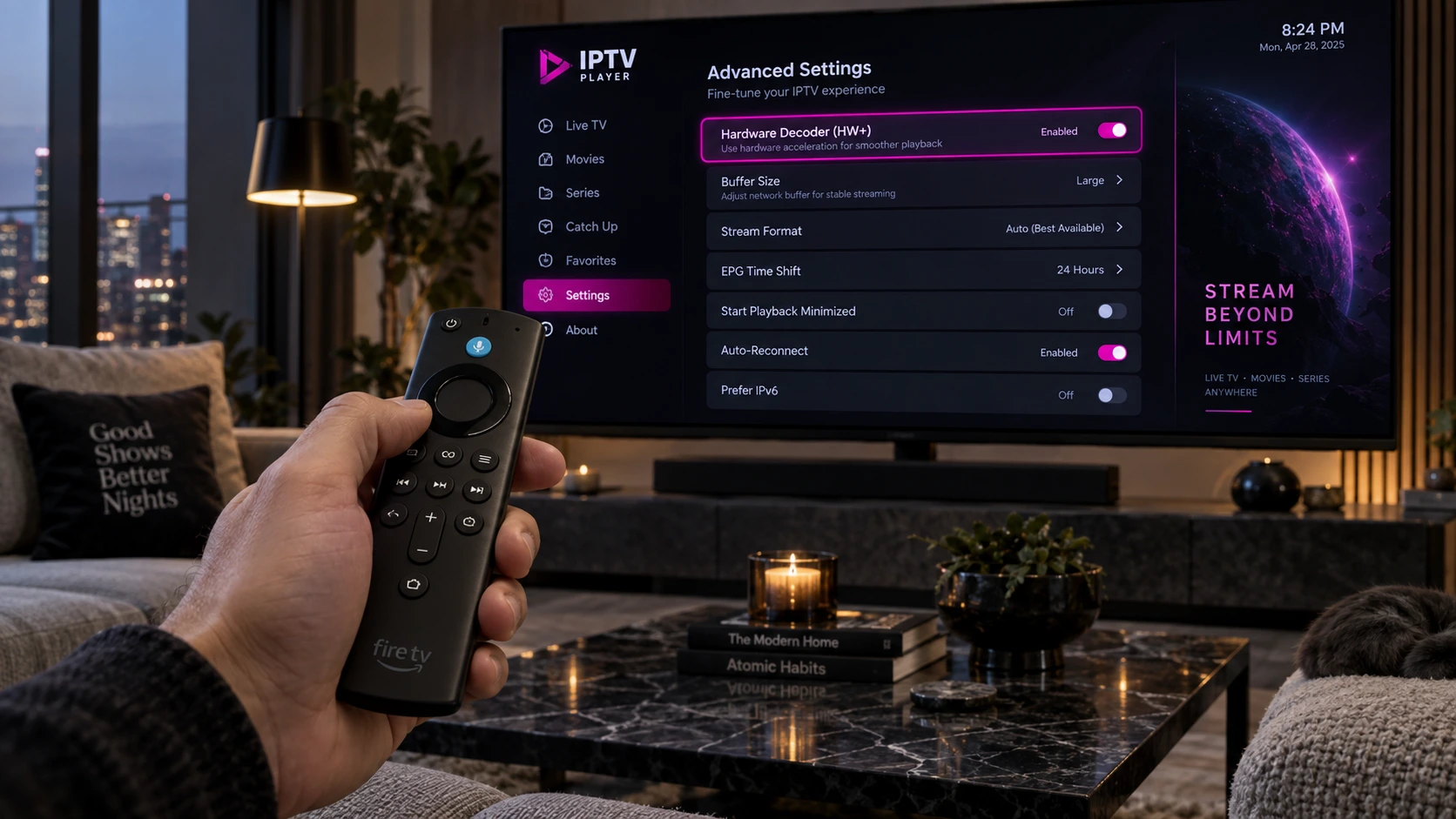
Applying an IPTV buffering fix by adjusting hardware decoder and cache size

An effective IPTV buffering fix starts by identifying whether the problem comes from your internet connection, streaming device, player settings, or provider server. The good news is that most freezing, lag, and stuttering problems can be diagnosed with a few practical checks.

In this guide, you will learn 11 practical methods for an IPTV buffering fix, including switching to Ethernet or 5 GHz Wi-Fi, adjusting hardware decoding and buffer size, clearing app cache, testing DNS settings, and changing stream formats.

If you recently learned how to set up IPTV correctly on Firestick, or you are using Android TV, Apple TV, or a Smart TV, start with the quick checklist below and then work through the fixes until playback becomes stable.

Some services also advertise anti freeze IPTV technology. We explain what that term can mean in practice and how local device or network issues can still cause buffering. If you are comparing providers, you can also review our guide to choose a reliable IPTV service.

Quick IPTV Buffering Fix Checklist

  • Restart your router and streaming device.
  • Test Ethernet or switch from 2.4 GHz to 5 GHz Wi-Fi.
  • Check your internet speed and connection stability.
  • Close background apps and clear the IPTV app cache.
  • Try hardware decoding and adjust the player buffer size.
  • Test HLS instead of MPEG-TS if a channel keeps freezing.
  • Try another channel, stream quality, or server endpoint to isolate the cause.
IPTV buffering fix step-by-step troubleshooting guide for smart TV
Eliminate stream interruptions, audio sync delays, and video stutter with proper network and player optimization.

Why Does IPTV Keep Buffering?

IPTV playback depends on a continuous flow of video data from the server to your player. If your connection becomes unstable, the device struggles to decode the stream, or the provider server slows down, the player can run out of buffered data and pause while it waits for more. The right IPTV buffering fix depends on which part of that chain is causing the interruption.

Generally, streaming interruptions boil down to four critical bottlenecks:

  • Local Hardware Limitations: Running out of volatile RAM, filled flash storage, or overheating media streaming sticks.
  • Wi-Fi Signal Dropouts: Packet loss, physical interference from thick walls, or congested 2.4 GHz radio bands can make an IPTV buffering fix necessary.
  • Network or ISP Congestion: Performance can vary during busy periods, and some connections may also be affected by traffic-management policies.
  • Provider Server Congestion: Overloaded Content Delivery Networks (CDNs) handling too many concurrent connections during massive live sports events.

What Anti Freeze IPTV Technology Actually Means

When searching for a modern subscription, you will frequently encounter services advertising proprietary anti freeze IPTV systems. But what does this terminology actually mean in technical terms?

“Anti-freeze” is a marketing term rather than a universal technical standard. In practice, a provider may use infrastructure such as redundant servers, load balancing, efficient video compression, or multiple delivery routes to improve stream availability.

What Can Improve Server-Side Stability?

Redundant servers, load balancing, efficient codecs such as H.265 (HEVC), and distributed delivery infrastructure can help reduce the impact of server overload or routing problems. The exact implementation varies by provider.

Server-side improvements cannot correct a weak Wi-Fi signal, low device storage, overloaded background apps, or an unsuitable player setting on your device. That is why a practical IPTV buffering fix should start by testing both your local setup and the stream source before deciding where the problem comes from.

Fix 1: Use Ethernet or 5 GHz Wi-Fi

The 2.4 GHz Wi-Fi band can become crowded because it is shared by many household devices and nearby networks. Interference or a weak signal can cause packet loss and inconsistent throughput, so testing a stronger connection is often the first IPTV buffering fix worth trying.

Switching your streaming device to a dedicated 5 GHz Wi-Fi network provides higher bandwidth and lower latency. Even better, using a physical Ethernet cable is an IPTV buffering fix worth testing when Wi-Fi is unstable.

As highlighted in Tom’s Guide’s expert tips to stop TV buffering, a wired Ethernet connection can provide a more stable path than Wi-Fi by avoiding wireless interference. If Ethernet is not practical, test 5 GHz Wi-Fi close to the router and compare playback.

Fix 2: Check Built-In Player Settings and Hardware Decoder

Your media player relies on a decoding engine to turn incoming video data into visible frames. If the selected decoder does not work well with your device or stream, you may see stutter, black screens, audio-sync problems, or dropped frames. Changing decoder mode can be an effective IPTV buffering fix when the network itself is stable. Many players offer hardware and software decoding options:

  • Hardware (HW): Uses your device’s dedicated GPU chip. Fast, highly efficient, and runs cool on modern hardware.
  • Hardware Plus (HW+): An additional hardware-accelerated mode available in some players and on some Android devices.
  • Software (SW): Uses the CPU for decoding. It can help with compatibility on some streams, but it may use more system resources.

Open your player’s Settings > Playback > Video Decoder and compare the available modes. If Software decoding stutters, try Hardware (HW). This IPTV buffering fix can help when the issue comes from decoding rather than network speed. If your app and device support HW+, test it as well. If one mode causes a black screen or audio desynchronization, switch back and test another option.

Applying an IPTV buffering fix by adjusting hardware decoder and cache size
Fine-tuning buffer sizes and video hardware decoders directly stabilizes live video streams.

Fix 3: Increase or Adjust the IPTV Buffer Size

Buffer size controls how much stream data your player stores temporarily before playback. A larger buffer can make short connection drops less noticeable, so adjusting it is another useful IPTV buffering fix, although it may increase the delay before a channel starts playing.

Navigate to your IPTV player settings and locate the Buffer Size or Stream Cache setting:

  • None / Small (0–1 seconds): Best for fast channel zapping, but highly vulnerable to minor internet hiccups.
  • Medium / Normal (2–3 seconds): The ideal balance for stable high-speed broadband connections and a sensible IPTV buffering fix to test first.
  • Large / Very Large: Useful when your connection fluctuates, but it may increase startup time or live-stream delay.

Fix 4: Clear App Cache and Free Device Storage

Streaming devices such as Fire TV sticks, Google TV devices, and Android boxes often have limited storage and memory. When free space becomes low or an app cache grows unusually large, clearing temporary files can be a simple IPTV buffering fix that helps the device run more smoothly.

Over weeks of streaming, Electronic Program Guide (EPG) databases and thumbnails hoard hundreds of megabytes. Perform this quick maintenance routine:

  • On Amazon Fire TV: Go to Settings > Applications > Manage Installed Applications.
  • Select your IPTV player, click Clear Cache (do not click Clear Data unless you want to re-enter your login details).
  • Repeat this for other large apps if storage is tight, then restart the streaming device.

Fix 5: Test a Different DNS Resolver

Most home networks use the DNS resolver supplied by the Internet Service Provider. Changing DNS will not increase the raw speed of your internet connection, but it can be an IPTV buffering fix when slow name resolution or a DNS-related routing issue is part of the problem.

If you want to test another resolver, compare playback before and after the change. Common public DNS options include:

  • Cloudflare DNS: Primary: 1.1.1.1 | Secondary: 1.0.0.1
  • Google Public DNS: Primary: 8.8.8.8 | Secondary: 8.8.4.4

Fix 6: Check for ISP Traffic Management

If IPTV works well at some times of day but becomes unstable during busy periods, first test your connection speed and latency at both times. Choosing the right IPTV buffering fix depends on whether the cause is local Wi-Fi congestion, wider network congestion, server load, or an ISP traffic-management policy.

If you already use a reputable VPN, compare playback with the VPN enabled and disabled. In some cases a different route can help, while in others a VPN can reduce speed or add latency. The result depends on your connection, VPN server, and routing.

Use the comparison only as a troubleshooting step: if several unrelated streaming services slow down at the same time, the issue is more likely to be on the local network or internet connection than inside one IPTV app.

Fix 7: Update Your IPTV Player

Player updates can include bug fixes, codec changes, security updates, and improvements to playback stability. Updating the app can be an IPTV buffering fix if buffering started after an app change or appears only in one player.

Always ensure your player (TiviMate, XCIPTV, IPTV Smarters Pro, Televizo) runs on its latest official version. Developers regularly release performance patches specifically designed to optimize buffer management and memory utilization on modern streaming chips.

Fix 8: Restart Your Router and Streaming Device

A restart is simple, but it can clear temporary network or device problems. As a quick IPTV buffering fix, rebooting your modem or router can restore a stalled connection, while restarting the streaming device can clear background processes and temporary memory pressure.

The 60-Second Clean Power Cycle

Turn off the streaming device and restart your router. If you use a separate modem and router, restart the modem first, wait until the connection is back online, then restart the router and streaming device. Give each device enough time to reconnect before testing playback again.

Fix 9: Close Background Apps

Streaming devices can leave apps suspended in the background after you return to the home screen. On devices with limited memory, closing unused apps can be an effective IPTV buffering fix because it frees resources for the video player.

Use your device’s built-in app management controls to force close apps you are not using, then reopen the IPTV player. Avoid installing unnecessary cleanup utilities unless you trust the developer and actually need the extra tool.

Fix 10: Try HLS vs. MPEG-TS

Some IPTV players allow you to choose between different stream formats. If a specific channel repeatedly freezes, changing the format can be a useful IPTV buffering fix and compatibility test:

  • MPEG-TS: A common transport-stream format that may offer lower latency in some setups.
  • HLS (HTTP Live Streaming): Delivers video in segments over HTTP and can behave differently on unstable or variable connections, making it a useful IPTV buffering fix to test.

If a particular sports channel keeps freezing on MPEG-TS, head to your player’s format settings and switch your default output to HLS.

Fix 11: Lower Stream Quality or Test Another Server

If you have tried the previous steps and playback still freezes, the next IPTV buffering fix is to test whether the problem follows one channel, one server, one resolution, or every stream. This helps separate a provider-side problem from a device or connection problem.

If your service offers another server endpoint, test it. You can also reduce the stream from 4K to 1080p or 720p to lower bandwidth demand. This IPTV buffering fix is especially useful when lower resolutions work consistently while 4K does not.

IPTV Buffering Troubleshooting Table

Use this table to match common playback symptoms with the most suitable IPTV buffering fix to test first:

Playback SymptomPrimary Root CauseFirst Fix to Test
Constant 5-second stutteringUndersized cache or weak Wi-FiIncrease Buffer to Large + connect 5 GHz / Ethernet
Freezes only during live sportsPeak-time congestion, routing issue, or server loadTest connection speed, compare another server, then try HLS or a VPN comparison
Audio plays but video freezesSoftware video decoder mismatchSwitch player decoder to Hardware (HW or HW+)
Player crashes after 20 minutesDevice RAM leak or full cacheClear app cache + force-close background apps
Channel loops back 10 secondsProvider packet drop / TS errorSwitch stream format from MPEG-TS to HLS
Smooth live sports playback achieved after applying the IPTV buffering fix
A stable connection and well-configured player can reduce freezing, stutter, and playback interruptions.

IPTV Buffering Fix FAQ

What internet speed do I need for buffer-free IPTV?

There is no single speed that guarantees buffer-free playback because bitrate, Wi-Fi quality, routing, and server stability also matter. As a practical starting point, make sure your available speed comfortably exceeds the stream bitrate and stays stable while the stream is playing.

Does anti-freeze IPTV completely prevent all buffering?

No. “Anti-freeze” is not a universal technical standard, and no system can guarantee zero buffering in every situation. Weak Wi-Fi, low device resources, network congestion, routing problems, or server load can still interrupt playback.

Why does my IPTV freeze only on weekend sports matches?

Freezing during busy sports periods can come from local Wi-Fi congestion, wider network congestion, provider server load, or traffic-management policies. Compare connection speed, test another channel or server, and compare playback with and without a VPN if you already use one.

Which IPTV media player is best for handling buffer cache?

TiviMate, IPTV Smarters Pro, and XCIPTV are popular options, but the best choice depends on your device and the controls you need. Look for hardware decoding, buffer controls, and stream-format options when troubleshooting playback.

How often should I clear my IPTV app cache?

There is no fixed schedule. Clear the app cache when storage is low, the app becomes unusually slow, or playback problems persist after a restart. Avoid clearing app data unless you are prepared to enter your login and settings again.

Quick Troubleshooting Examples

Example 1: Video stutters but audio continues

Test the player’s hardware decoder first. If one decoder mode causes stutter or a black screen, compare another available mode before changing network settings.

Example 2: Freezing happens mainly at busy times

Compare your connection speed, test another channel or server, and try a different stream format. This helps separate local congestion from provider-side load.

Example 3: 4K buffers but 1080p plays smoothly

The 4K stream may require more stable bandwidth or more decoding power. Test Ethernet, close background apps, and compare a lower resolution to identify the bottleneck.

Final Checklist for More Stable Playback

Start With the Simplest Tests

For most IPTV buffering problems, the best IPTV buffering fix is to begin with the connection: restart the network, test Ethernet or 5 GHz Wi-Fi, and compare your available speed. Then check the player by testing hardware decoding, buffer size, cache, and stream format.

If the problem remains, compare another channel, server endpoint, or lower resolution. Testing one variable at a time makes it much easier to identify whether the bottleneck is your network, device, player configuration, or the stream source.

error: Content is protected !!